
Ultimate Guide: The Best Tablets for Work and Entertainment in 2026
The line between laptops and tablets has officially vanished. In 2026, mobile processors are so powerful that your everyday media-consuming slate can seamlessly double as a fully functional mobile workstation.
Whether you need to crunch numbers in spreadsheets, sketch digital masterpieces, crush high-frame-rate mobile gaming, or binge 4K streaming shows on a gorgeous display, choosing the right hybrid device is crucial.
We have benchmarked and reviewed the absolute best tablets for work and entertainment in 2026. This comprehensive breakdown covers top-tier flagships, productivity beasts, and budget options that maximize value.
The Best Tablets of 2026: Quick Picks
If you are in a rush, here is our expert summary of the top models:
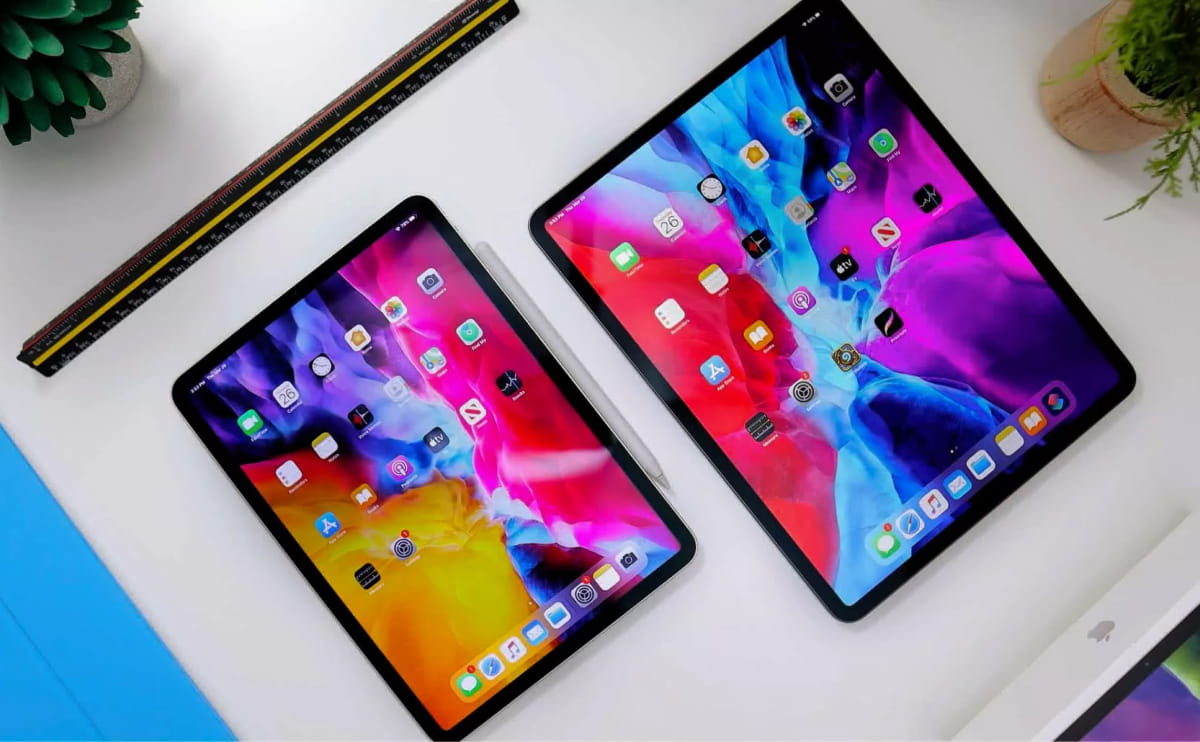
Best Premium Overall: Apple iPad Pro (M5)
Best Android Flagship: Samsung Galaxy Tab S11 Ultra
Best Value for Most People: Apple iPad Air (M4)
Best Flagship-Killing Alternative: OnePlus Pad 3
Best Mid-Range Android: Lenovo Idea Tab Pro
1. Apple iPad Pro (M5) — The Unrivaled Powerhouse
Best For: Creative professionals, video editors, and power users who want laptop-grade performance.
Specs Spotlight:
• Processor: Apple M5 Chip
• Display: Tandem OLED Ultra Retina (120Hz ProMotion)
• OS: iPadOS 26
Apple continues its dominance in the premium sector with the iPad Pro M5. Powered by the blisteringly fast M5 silicon, this machine handles extreme workloads like 4K multi-stream video editing, 3D rendering, and heavy local AI processes without breaking a sweat.
Why it excels at Work:
The integration of iPadOS 26 unlocks massive updates to multitasking, handling desktop-class browser applications flawlessly. Paired with the Apple Magic Keyboard, it feels identical to using a high-end MacBook.
Why it excels at Entertainment:
The Tandem OLED display is arguably the finest screen on any consumer device in 2026. The deep blacks, extreme contrast ratio, and blinding brightness make watching HDR cinema content an incredibly immersive experience.
2. Samsung Galaxy Tab S11 Ultra — The Ultimate Multitasker
Best For: Power users who want a massive digital canvas and desktop-like window management.
Specs Spotlight:
• Processor: High-End Snapdragon Flagship Platform
• Display: 14.6-inch Dynamic AMOLED 2X (120Hz)
• Bonus: S Pen Stylus included in the box
If you prefer the open freedom of the Android ecosystem, the Samsung Galaxy Tab S11 Ultra is the crown jewel. Boasting a massive 14.6-inch display, it blur the boundaries between an ultra-thin monitor and a portable slate.
Why it excels at Work:
Samsung’s updated DeX Mode is brilliant. When docked or flipped into productivity view, it rearranges Android into a Windows-like desktop with overlapping windows, taskbars, and full mouse optimization. The precise, upgraded S Pen comes included, making it perfect for note-takers and architects.
Why it excels at Entertainment:
Its gargantuan 14.6-inch AMOLED screen turns mobile streaming into a cinematic event. It also features an IP68 water-resistance rating, making it the absolute best premium tablet for watching media pool-side or in the bath without anxiety.
3. Apple iPad Air (M4) — The Best Value All-Rounder
Best For: Everyday buyers, students, and remote workers who want elite power without paying Flagship prices.
Specs Spotlight:
• Processor: Apple M4 Chip
• Display: Liquid Retina Display
• OS: iPadOS
The iPad Air M4 is widely considered the smartest tablet purchase for most consumers in 2026. By inheriting the immensely capable M4 processor from previous generation Pro models, it gives you 90% of the premium user experience at a fraction of the cost.
Why it excels at Work:
The M4 architecture provides plenty of processing overhead, meaning you can jump back and forth between Zoom calls, Slack channels, and complex Google Sheets documents effortlessly.
Why it excels at Entertainment:
Equipped with four-speaker landscape audio and stellar Wi-Fi speeds, the iPad Air serves beautifully as a portable movie theater or cloud-gaming terminal.
4. OnePlus Pad 3 — The Flagship Killer
Best For: Entertainment buffs and digital nomads looking for high performance and speedy charging.
Specs Spotlight:
• Processor: Snapdragon 8 Elite
• Display: 13.2-inch 144Hz Smooth Display
• Charging: SuperVOOC Fast Charging
OnePlus has shaken up the market with the OnePlus Pad 3, turning a mid-range budget category into a true premium competitor.
Why it excels at Work:
Its OxygenOS utilizes an innovative "Open Canvas" feature that drastically improves mobile multitasking, letting you smoothly juggle three full apps on screen at once.
Why it excels at Entertainment:
With a buttery smooth 144Hz refresh rate, scrolling through social media feels incredibly fluid and high-end gaming runs at maximum frame rates. Furthermore, its fast-charging capabilities can juice the battery back up to full in no time.
5. Lenovo Idea Tab Pro — Best Budget Productivity Alternative
Best For: Budget-conscious professionals and students needing a complete work-and-play package.
Specs Spotlight:
• Price: Under $400
• Accessories: Stylus Pen included
• Display: Spacious high-resolution panel
If you don't want to break the bank but still need a machine that can push past casual web browsing, the Lenovo Idea Tab Pro stands out as an excellent option.
Why it excels at Work:
Unlike many budget models that strip out accessories to lower costs, Lenovo bundles its precision stylus right in the box. It handles basic office applications, writing tasks, and email management beautifully.
Why it excels at Entertainment:
It strikes a solid balance with great multimedia support and punchy speakers, offering fantastic performance for catching up on Netflix shows or light mobile gaming after a work session.
🔍 How to Choose Your 2026 Hybrid Tablet: Buying Guide
Before hitting the checkout button, keep these three vital criteria in mind:
The Ecosystem Match: If you already use an iPhone or Mac, sticking with an iPad ensures seamless features like Universal Clipboard and Sidecar. If you use a Windows PC or Android phone, Android platforms offer vastly cleaner file management.
Refresh Rates Matter: For pure entertainment and smooth menu scrolling, look for displays with a 120Hz or 144Hz refresh rate. Lower budget tiers often stick to a standard 60Hz or 90Hz panel.
Hidden Accessory Costs: Always factor in the price of keyboards and styluses. While brands like Samsung and Lenovo bundle pens for free, Apple charges premium costs for their matching input tools.
Which tablet are you eyeing for your setup this year? Let us know in the comments below!